Most backup failures are loud: the job ends in error and someone gets an email. The ones that cost data are quiet. Every report looks fine, and the day you need the copy it is old, empty or does not open.
The five silent failures
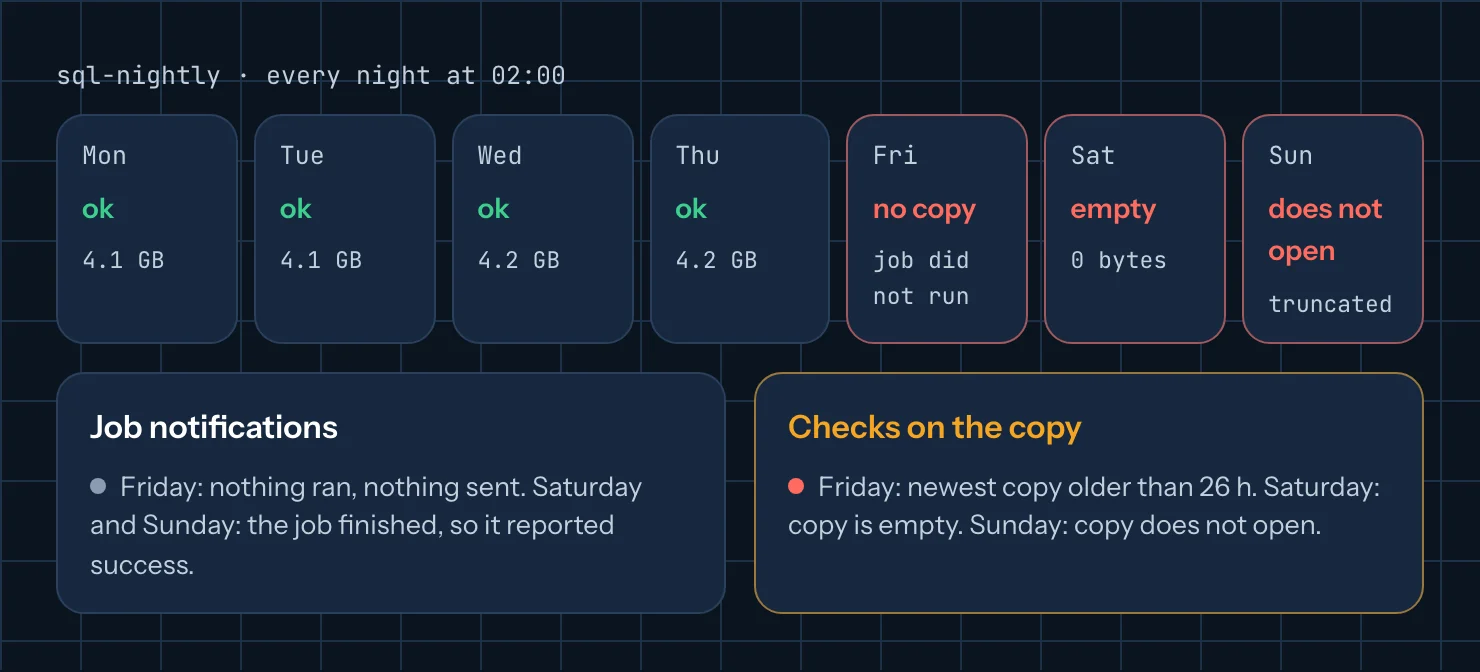
- The job stops running. The scheduler was disabled, a password changed, the server was renamed. No job runs, so no job fails.
- It runs and writes nothing. The disk was full or the source was locked, and the result is a file of a few bytes that the job counts as done.
- It writes a copy that does not open. The transfer was cut, the archive is truncated, or the disk that holds it is failing.
- It saves the wrong thing. The data moved to a new path or a new database was created, and the job still copies the old place.
- The machine was never in the job. A new server or VM was added after the backup was configured.
Why job notifications are not enough
A notification comes from a job that ran. That leaves two gaps. A job that never ran sends nothing at all, and a job that wrote a bad copy often reports success, because from its point of view it finished. On top of that, a nightly success email becomes noise within a week and ends up in a filter, which is where the one failure email goes too.
The fix is to watch the copy, not the job.
What to check on every backup
| Check | What it catches | Rule of thumb |
|---|---|---|
| Age of the newest copy | Jobs that stopped running | Schedule plus a margin: 26 hours for a nightly job, Sergward’s default |
| Size of the newest copy | Empty or partial copies | Not zero, and not far below the previous ones |
| The copy opens | Truncated or corrupt files | Read it back, or test the archive |
| Copies kept | Retention that deletes too much | As many as the policy says |
| Coverage | Machines and databases left out | Every server and database is in a job |
| A real restore | Everything above, and the restore procedure | Quarterly, and after changes |
Checks you can script today
On Linux, the newest file in a folder and its age. This exits with an error when nothing was written in the last 26 hours (1,560 minutes):
find /var/backups/postgres -name '*.dump' -mmin -1560 | grep -q . || echo "no recent dump"Its size, in bytes:
stat -c %s "$(ls -t /var/backups/postgres/*.dump | head -n 1)"Whether a compressed archive opens, without extracting it:
gzip -t /var/backups/db/nightly.sql.gz
tar -tzf /var/backups/files/nightly.tar.gz > /dev/null
On Windows, the newest file of a backup folder, in PowerShell:
Get-ChildItem D:\Backups\SQL -Filter *.bak | Sort-Object LastWriteTime -Descending | Select-Object -First 1 Name, Length, LastWriteTimeThe backups Windows Server Backup has made, as Windows records them:
wbadmin get versionsAnd for a SQL Server backup file, the server can check that it is complete and readable without restoring it:
RESTORE VERIFYONLY FROM DISK = N'D:\Backups\SQL\erp.bak';Run them from a scheduler, and make the failure of the check, not the success, send the email.
Test a restore
None of the checks above proves the backup restores. A quarterly restore of one machine of each kind, into an isolated place, proves the copy, the credentials, the procedure and how long it takes. Write down how long it took: that is your real recovery time.
How Sergward helps
Sergward’s agent watches the copy, not the job. For each backup folder it reads the age and size of the newest file that matches the path, how many copies there are, whether the newest one is empty or has a .fail file next to it, and it opens the copy and reads up to 8 MiB to check that it is not truncated, discarding what it read. It also reads what Windows Server Backup reports about its last run and the last vzdump backup of every Proxmox guest.
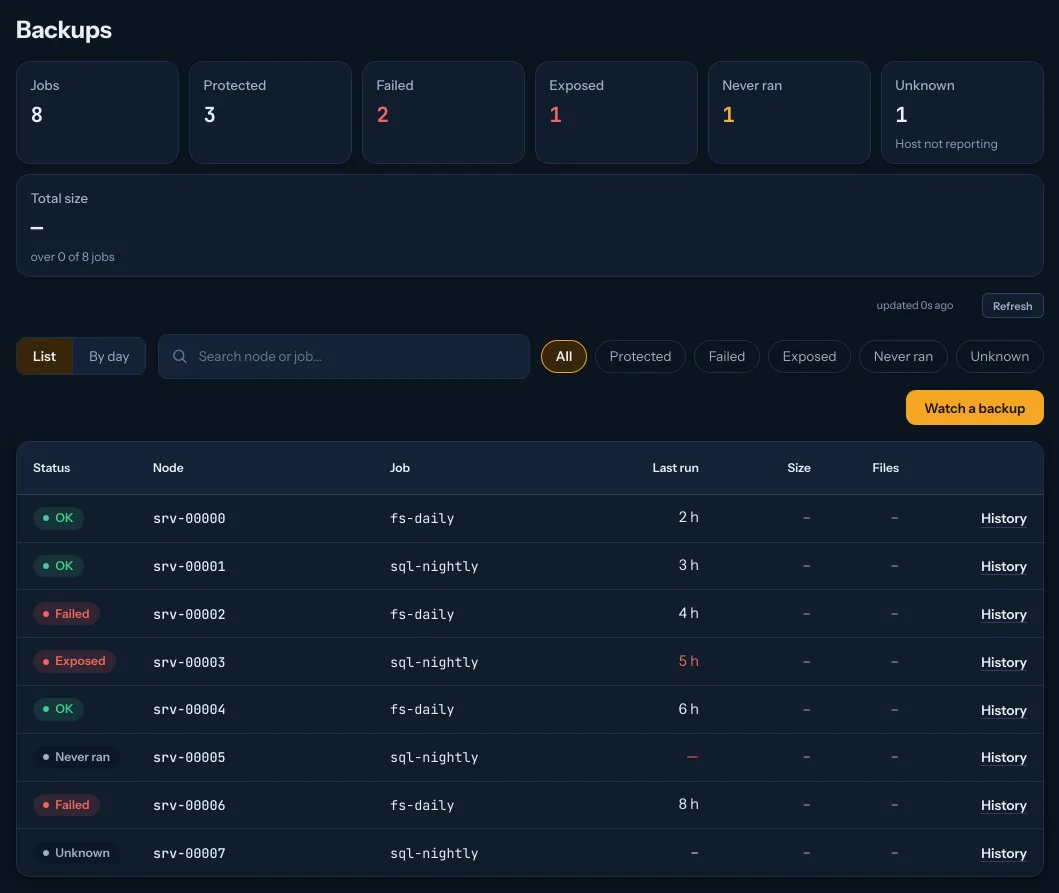
The alerts follow the silent failures: a backup older than 26 hours by default, a job that has never run, an empty or failed copy, a copy that does not open, a guest no job includes. A folder the agent cannot read is reported as an unreadable path, not as a backup that never ran.
Sources, read on 15 October 2026
- find(1), Linux manual page
- stat(1), Linux manual page
- GNU gzip manual (
--test) - GNU tar manual (
--list) - Microsoft Learn: wbadmin get versions
- Microsoft Learn: RESTORE VERIFYONLY (Transact-SQL)
Frequently asked questions
What is a silent backup failure?
A backup that is no longer usable while every report says nothing is wrong: the job stopped running, wrote an empty or partial file, saved the wrong thing, or never included the machine.
Are backup job emails enough?
No. They report the jobs that ran. A job that never ran sends nothing, and a job that wrote an empty file often reports success.
How old should the newest backup be allowed to get?
Its schedule plus a margin. For a nightly job Sergward uses 26 hours by default: older than that, a night was missed.
How often should I test a restore?
Our rule of thumb: at least once a quarter for each kind of backup, and after any change to how the backup is made.