Sergward vs Uptime Kuma
Uptime Kuma is a free, open-source tool you run on your own server to check websites, ports and other services, with more than 90 notification services and public status pages. Sergward is a cloud service for MSPs that also watches servers from inside, network devices, Proxmox VE and backups, with a space per customer.
Free during the beta. Leave your details and we write to give you access.
- 20 s
- Uptime Kuma's shortest check interval
- 90+
- notification services in Uptime Kuma; email in Sergward
- 0
- servers to run with Sergward
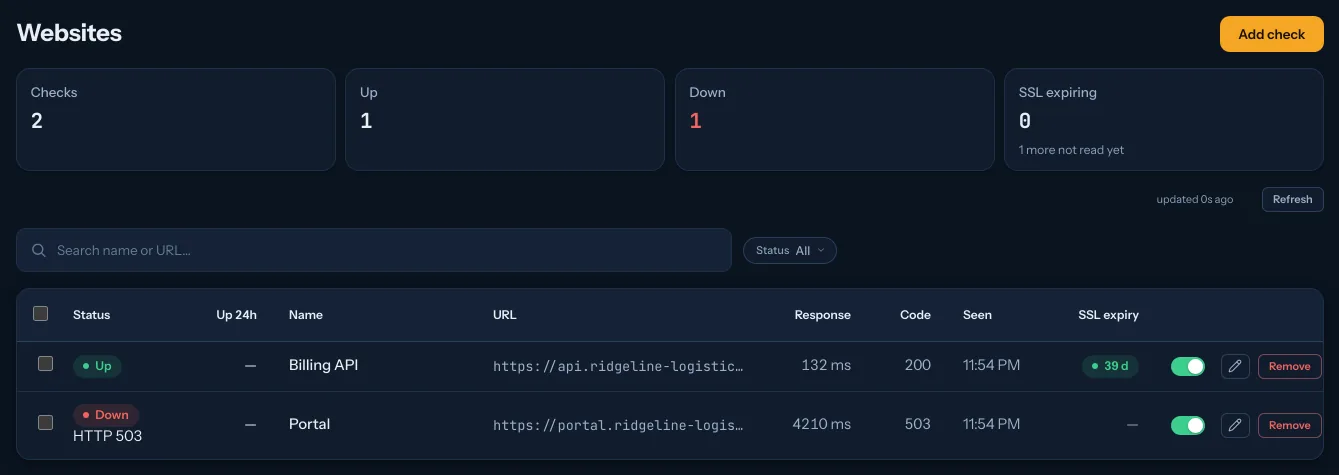
Side by side
Each Uptime Kuma fact is linked to its source, read on 14 October 2026.
| Uptime Kuma | Sergward | |
|---|---|---|
| Where it runs | On your own server, as a container or a Node.js app[1] | In the cloud; you install only the agent |
| Website and port checks | HTTP, keyword, JSON query, TCP, DNS, ping and more[1] | Status code, word present or absent, response time, SSL days, custom requests |
| Servers from inside (CPU, memory, disks, services) | No[2] | Yes |
| SNMP | An SNMP monitor type[2] | Discovery with fingerprints, templates, vendor MIB files, v1, v2c and v3 |
| Proxmox VE | No[2] | Nodes, guests, storage, quorum and backups, twelve alerts |
| Backups | A push monitor a backup script can call when it finishes[1] | Reads the backup files, Windows Server Backup and Proxmox backups |
| Several customers with their own users | One account; user management is an open request[3] | A space per customer, four roles, two-factor, audit log |
| Notification channels | More than 90 services[1] | |
| Public status pages | Several, on your own domains[1] | A dashboard shared by a link, without a domain of its own |
| Price | Free and open source[1] | Free in beta; then up to 10 machines free, USD 1 or 2 per machine above that |
When Uptime Kuma is the better choice
If these are what you need, it does them well and costs nothing.
- You want to run it yourself
- It runs on your own machine, and Sergward runs only in the cloud.
- Mostly websites and ports
- If what you watch is endpoints, its checks every 20 seconds and its monitor types cover it.
- Many notification channels
- Telegram, Discord, Slack and more than 90 services today; Sergward sends email.
- Status pages on your domain
- Several public status pages on your own domains.
When Sergward is the better choice
When websites are one part of what you look after.
- Servers from inside
- CPU, memory, every disk with SMART, services and inventory, with an agent for Linux, macOS and Windows.
- Network, Proxmox and backups
- Switches and UPS units over SNMP, Proxmox VE with twelve built-in alerts, and backups read from their files.
- Several customers
- A space per customer with its own people, roles and audit log, inside one organisation.
- Nothing to run
- No monitoring server to install, update or back up.
Moving from Uptime Kuma
There is no importer. You can run both while you move.
- Add the same URLs as website checks in Sergward, with the status code and the word each one must have.
- Install the agent on the servers behind those sites to see them from inside.
- Once the alerts match for a few days, switch Uptime Kuma off for that customer.
Frequently asked questions
Can I run Sergward on my own server like Uptime Kuma?
No. Sergward runs only in the cloud; on your machines you install the agent, which connects outbound over HTTPS.
Does Sergward have as many notification channels?
Not today: alerts go out by email. Uptime Kuma lists more than 90 notification services.
Is Sergward free like Uptime Kuma?
During the beta, yes. After it, up to 10 machines are free; above 10, every machine is paid. Websites do not count.
Join the waitlist
While the beta lasts we give access a few at a time, by hand. Leave your details and we will write to you.
- 1You leave your name and email.
- 2We write to give you access.
- 3You install the first agent.